🚀 WordPress Migration Made Simple

Get off Elementor.
Keep your design.

Migrate Off Elementor rebuilds your pages as native Gutenberg blocks — the same layout, colours, and type, with a fraction of the CSS and JavaScript. Lighter pages, faster loads, and no page builder to maintain.

✓Free & open-source · Works even after Elementor is removed.

The plugin’s Conversion Wizard, showing the two conversion modes

Free & open-source

On WordPress.org

Built by Progressus

Reads your saved layout → rebuilds it in core blocks → saves a new page you own

✦ BEFORE & AFTER

The same page. Native underneath.

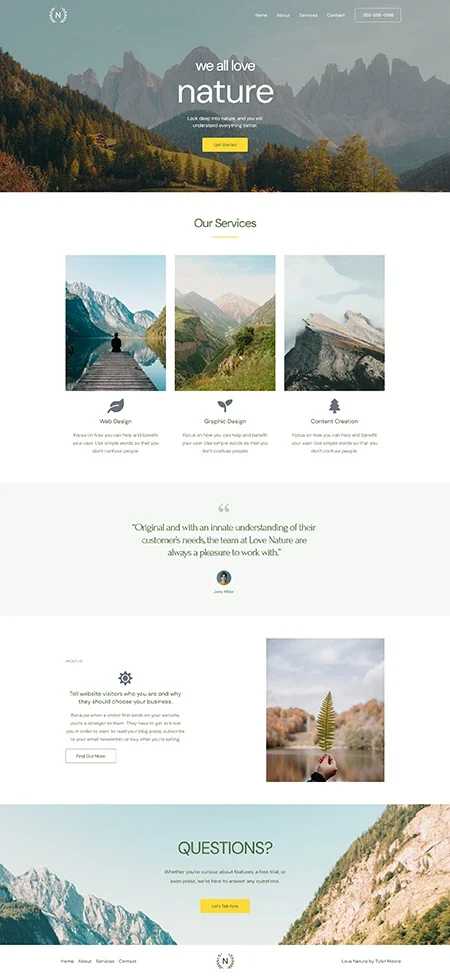
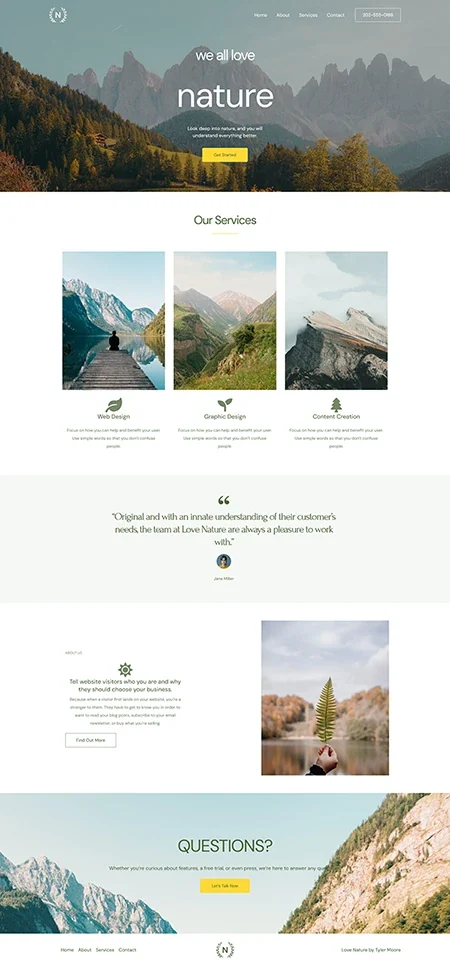
Every example here was converted in a single click — no touch-ups, no cherry-picking. Drag the slider and look for the difference in the design. The difference is in what’s powering it.

The Love Nature homepage as Elementor builds it

Built with Elementor

The same homepage rebuilt from core Gutenberg blocks

The same page rebuilt from core Gutenberg blocks.

Identical design, none of the builder overhead.

✦ PERFORMANCE

Lighter isn’t a claim. It’s a measurement.

We ran the same page through GTmetrix before and after conversion — same host, same theme, nothing else touched. The only thing that changed is the page builder underneath it.

Page weight

Elementor

1.7 MB

→

Native

1.3 MB

24% lighter

Requests

Elementor

46

→

Native

22

52% lighter

Stylesheets & scripts

Elementor

33

→

Native

10

70% lighter

Largest contentful paint

Elementor

2.5 s

→

Native

1.7 s

32% lighter

Elementor loads a rendering framework on every page. Native blocks don’t — so the same design arrives with far less to download, parse, and paint. Results vary by page, theme, and host. This shows the kind of improvement to expect, not a guaranteed figure.

✦ HOW IT WORKS

How a page becomes native
3 easy steps

Choose a trigger

Choose any Elementor page. The plugin reads its layout straight from your database — nothing to export, upload, or move.

Convert it

In one pass, the plugin rebuilds the page in native Gutenberg blocks and carries your text, images, colours, fonts, and spacing across with it.

Review, then publish

Saved as a new page beside the original. Compare, adjust in the standard editor, and publish when it’s right — you decide what goes live, and when.
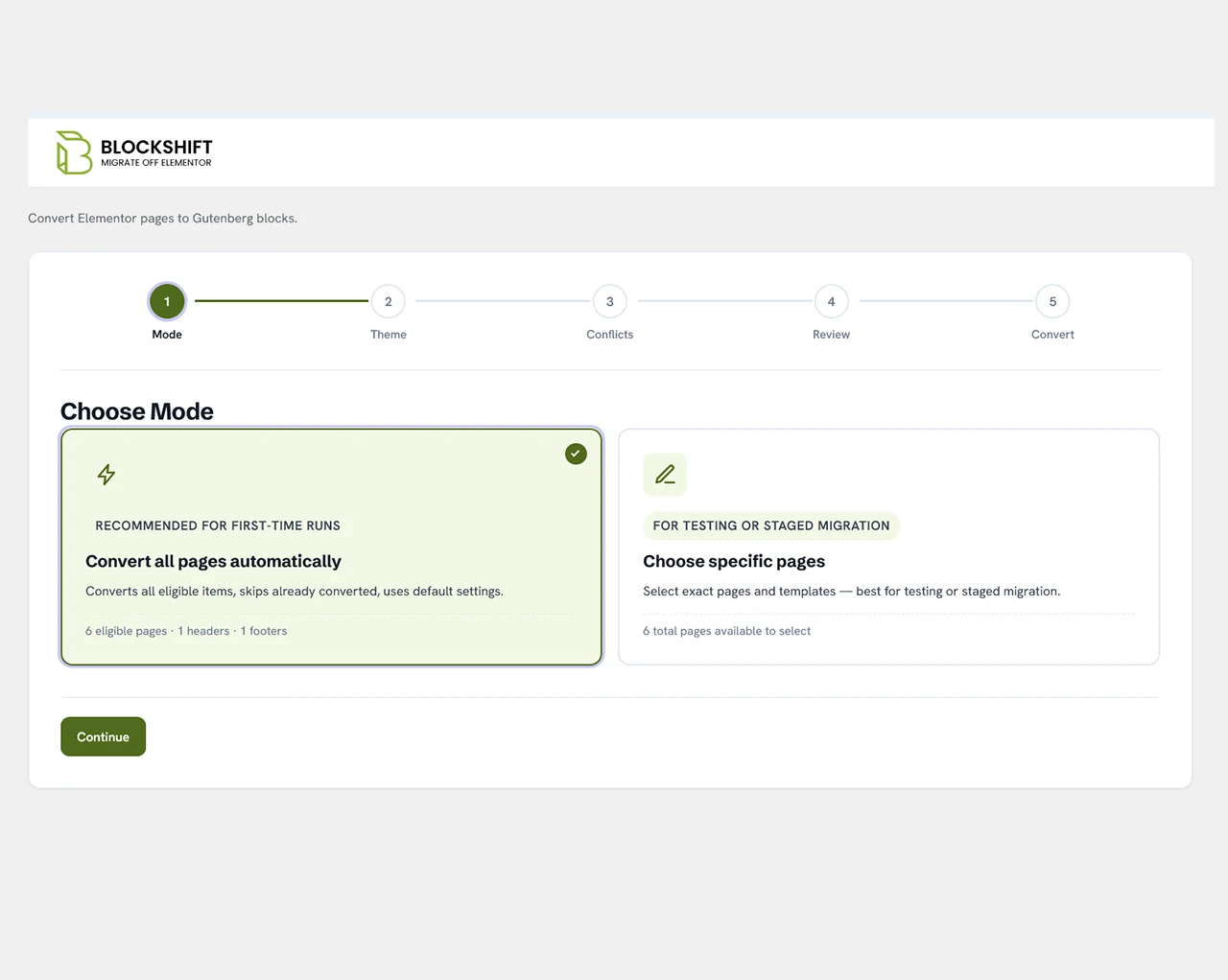
  • Choose a mode step of the Conversion Wizard

    Choose a mode — Convert everything automatically, or hand-pick pages for a staged migration.

  • Check the theme step of the Conversion Wizard

    Check the theme — Keep your current theme, or switch to a block theme before converting.
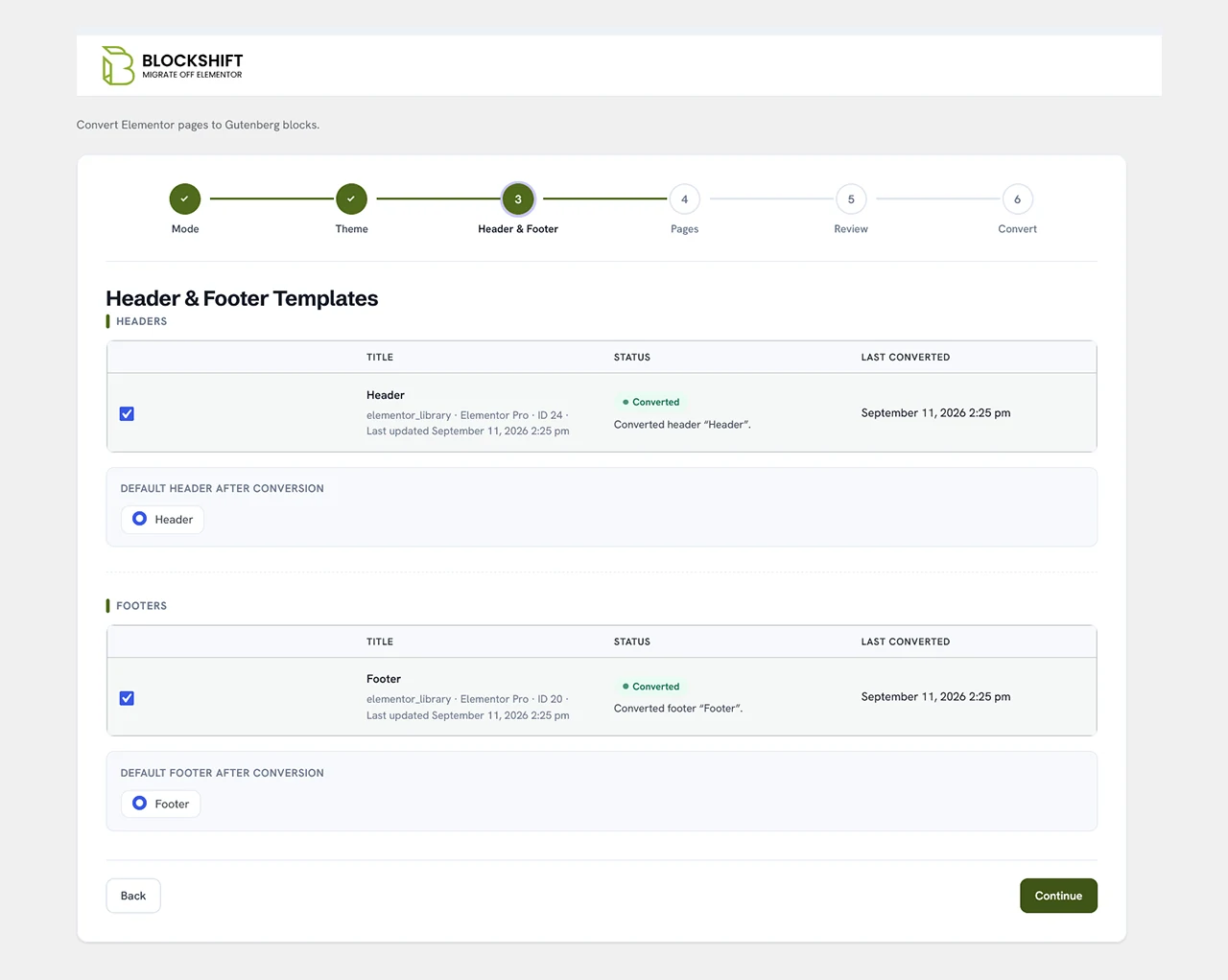
  • Headers & footers step of the Conversion Wizard

    Headers & footers — Elementor-built header and footer templates convert too.
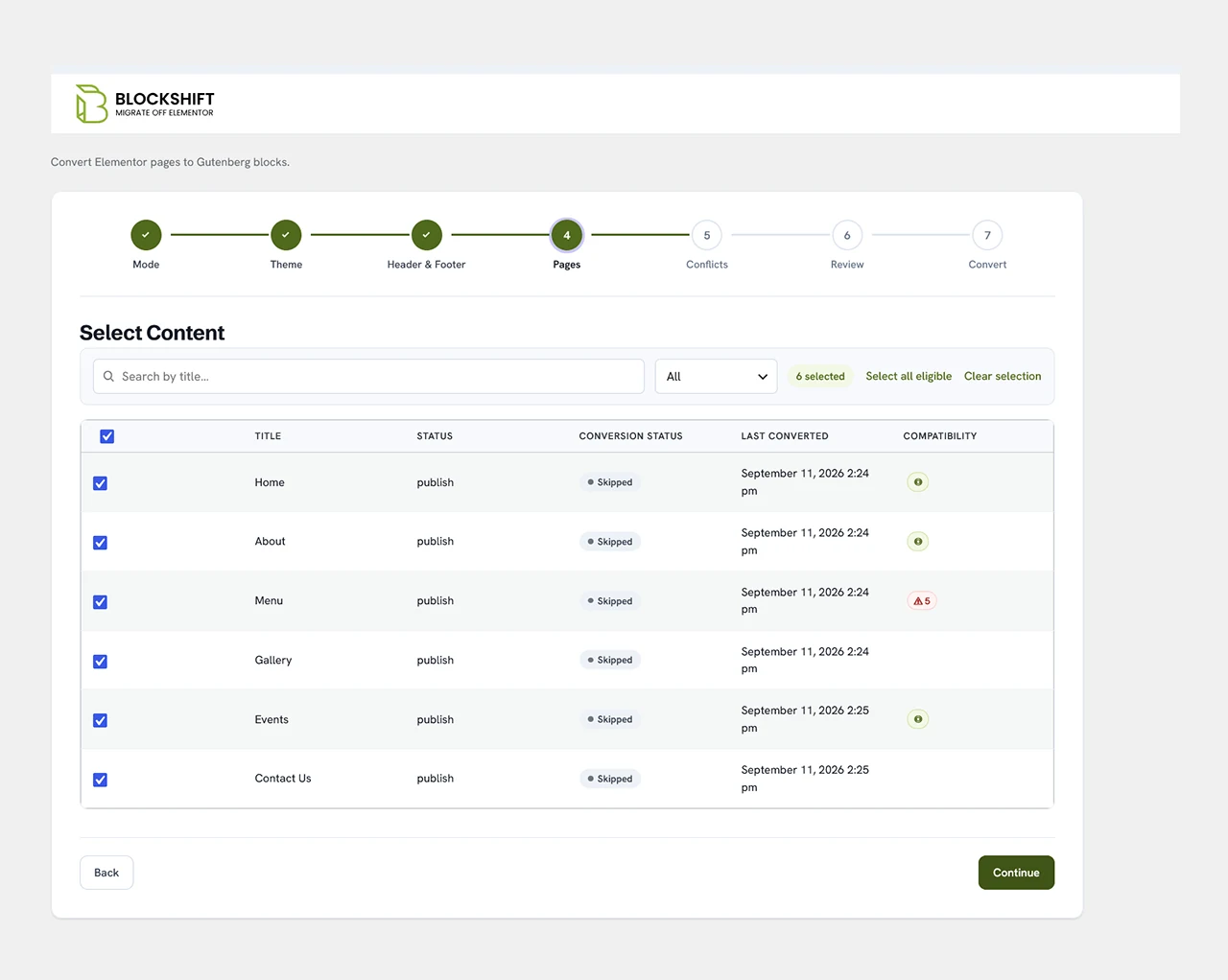
  • Select content step of the Conversion Wizard

    Select content — Pick pages, with a compatibility flag on anything worth a second look.

  • Review the plan step of the Conversion Wizard

    Review the plan — The whole plan on one screen, editable, before a single page is touched.
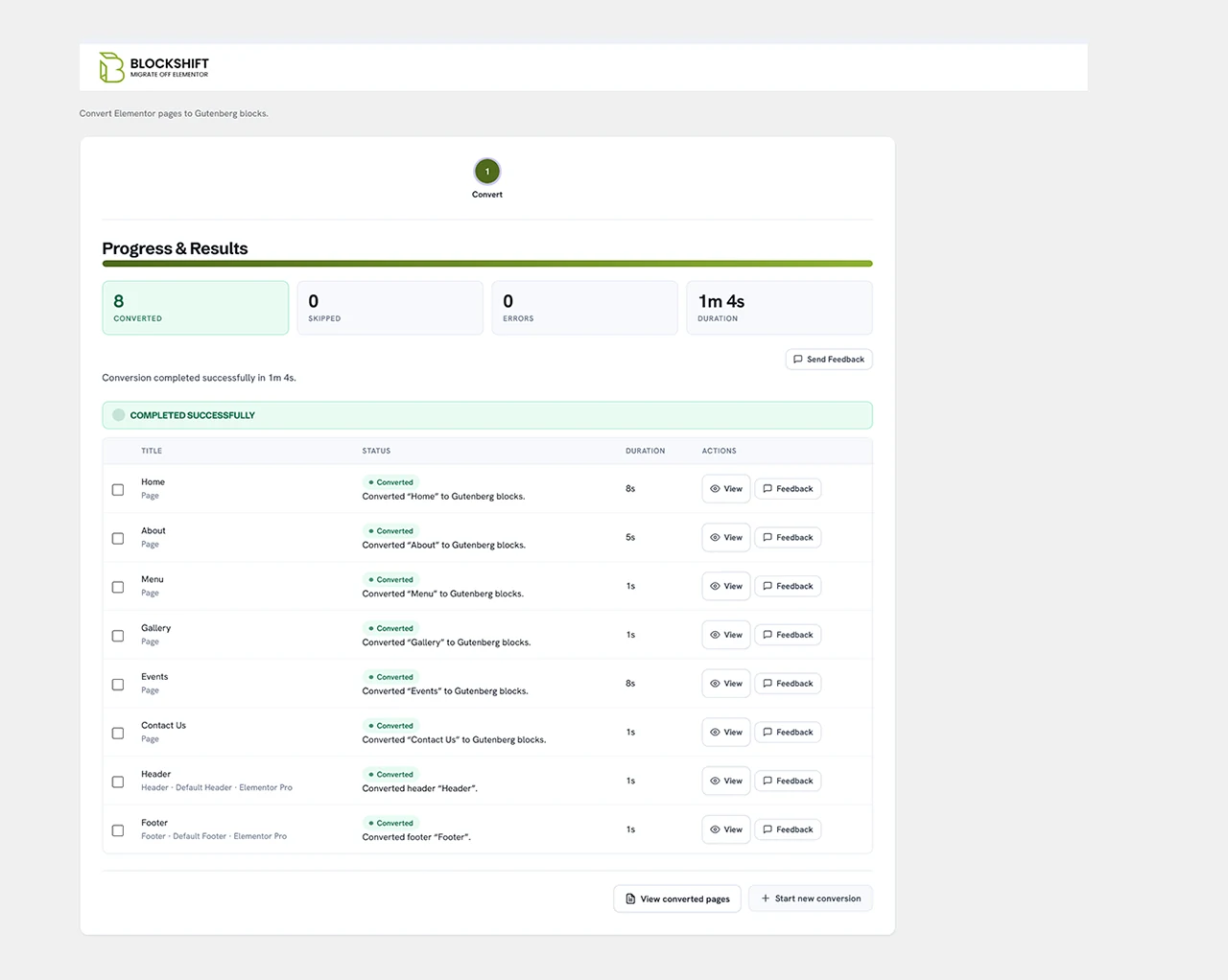
  • See the results step of the Conversion Wizard

    See the results — Per-page results: converted, skipped, errors, and how long each took.

✦ WHY TEAMS SWITCH

Why teams make the switch

Lighter by default

Elementor ships a rendering framework with every page. Native blocks don't — so the same layout loads with a fraction of the CSS and JavaScript, and your visitors feel it.

Edited with tools you know

Converted pages open in the standard block editor — the same one you use for posts. Nothing new to learn, and nothing extra to keep updated

Free of the dependency

Once a page is native, it no longer needs Elementor to render. Keep it, deactivate it, or remove it entirely — your pages don't notice.

✦ UNDER THE HOOD

Open it up. It's just
WordPress.

A converted page is standard Gutenberg — Groups, Columns, Headings, Buttons, nested the way WordPress expects. No shortcodes or wrapper soup, nothing you'll be afraid to edit six months from now.

A converted page open on a laptop, rendered entirely from core Gutenberg blocks

✦ OUR PROMISES

What we commit to

✓

Your work is never overwritten

Conversion always creates a new page — you decide what goes live, and when.

✓

Nothing leaves your server

The plugin reads and writes your own database. No account, no tracking.

✓

Independent of Elementor.

Converted pages are standard blocks — they render with or without Elementor installed.

✓

Honest about the edges.

When a widget can't be rebuilt natively, the plugin flags it instead of dropping it silently.

✓

Standard WordPress

Your pages are core blocks; remove our plugin and nothing breaks.

✦ AI ENHANCEMENT ADD-ON

Skip the manual tweaks. Let AI match the original.

The free plugin converts your page and carries the design across. On intricate layouts, getting the last details to line up with the original can mean some hand-adjusting in the editor.

✦ AI ENHANCEMENT ADD-ON

AI Enhancement Does That Part For You: it compares the converted page against the original and refines the layout automatically — so even complex pages land close to the source design without the manual cleanup.

IncludedFree pluginAI Enhancement
Convert Elementor → native blocks✓✓
Carries colours, fonts, spacing✓✓
Original page left intact✓✓
Auto-matches the converted page to the original—✓
Refines complex layouts without manual tweaks—✓
Runs on your own Claude API key—✓

A separate add-on, available only at Block-Shift.com. It runs on your own Anthropic (Claude) API key, so you stay in control of the account and the cost.

✦ FAQ

Before you install

No. You pick the pages you want and click convert — it all happens in the normal WordPress dashboard.

No — converted pages are standard Gutenberg blocks and render without it.

No — the original is left untouched. Conversion creates a new page alongside it.

Very close for most layouts. Complex widgets may need small manual adjustments, or the AI Enhancement add-on.

The common ones you build with most — headings, text, images, buttons, columns and sections, and more than 50 others with a dedicated conversion, WooCommerce elements included. Anything without one is converted with a safe fallback and flagged. See the full list →

Support

You have different questions?

Our team will answer all your questions. We ensure a quick response.

One fewer heavy plugin. The same site, lighter.

Convert your first page in a click, edit it with the tools already in WordPress, and stop maintaining a builder you've outgrown. It's free, and it keeps working with or without Elementor installed.